 OZIL AIOne photo. Your goal video.
Looking for a simple Ozil Goal AI generator? Start with Ozil AI at ozilai.app: choose one photo, a clip format and a sound option, then generate without writing a prompt, choosing a model or uploading a motion-reference video. You still need to sign in and have enough credits.
This comparison is written by the Ozil AI team. We reviewed the public workflows of the tools below on 17 October 2026 to help you choose a starting point. It is a comparison of setup and controls, rather than a paid test of rendering speed or video quality.
AI-illustrated editorial cover. The playable trend examples below are separate videos.
Where can you make an Ozil Goal AI video easily?
The easiest route to understand is a generator with the football action already prepared. Your job is to choose the character; you do not have to describe every touch, defender or camera movement.
Ozil AI follows that approach. It generates a new football scene using your photo as the character reference. You do not need a recording of yourself playing, and the pitch does not have to appear in your photograph.
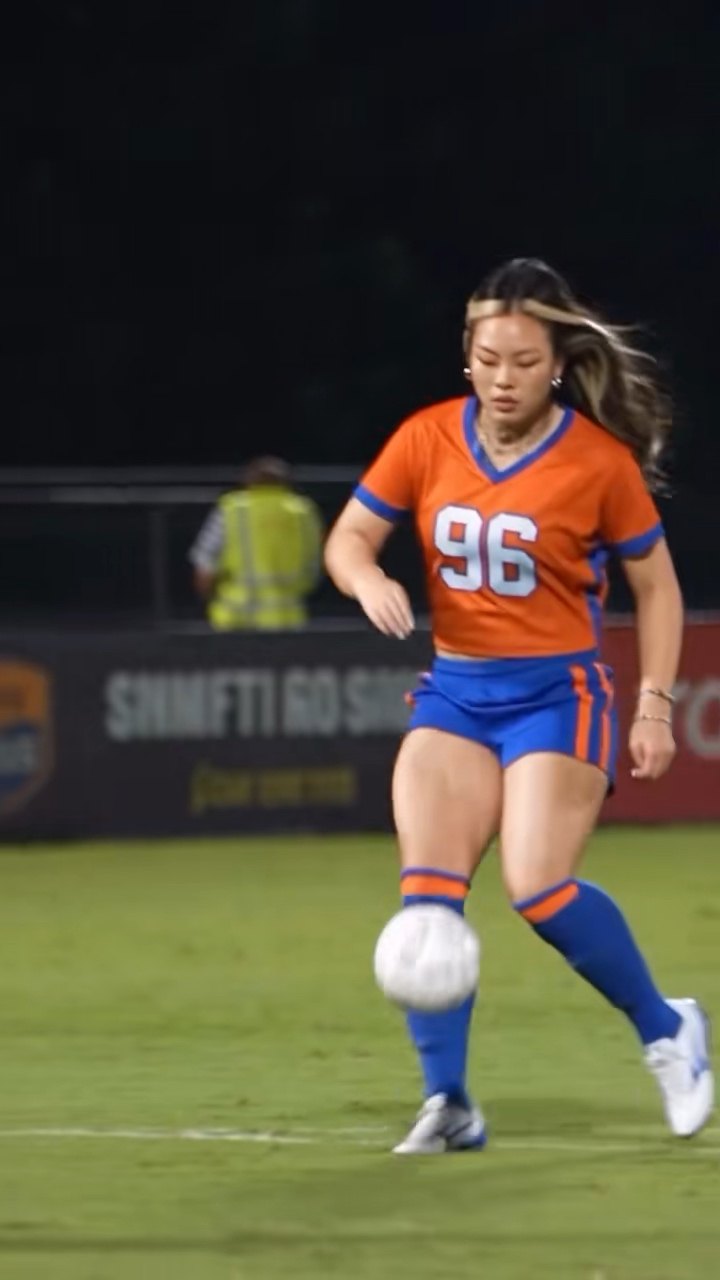
First, watch the kind of clip people mean by the Ozil goal trend:
Community trend example: a scorer in an orange shirt. Source:
original TikTok post
.
Both videos in this article are existing community examples from our gallery, approximately 15 seconds long. They show the trend's character and movement, not a test of our current formats or a guaranteed result. Reconstructed gallery portraits are not the original uploaded photographs.
If that is the kind of football video you want, choose your photo in Ozil AI. If you are looking for an exact match recording with only the face changed, check the examples carefully: our tool creates an AI interpretation.
What makes a generator simple?
Count what you need to prepare before pressing Generate. Does the tool need only a photo, or also a reference clip? Must you write the action? Do you need to identify a compatible model? Is a video editor part of the basic workflow?
Those questions are more useful than counting the three steps in a marketing headline. A step called “set up your scene” can hide several creative decisions.
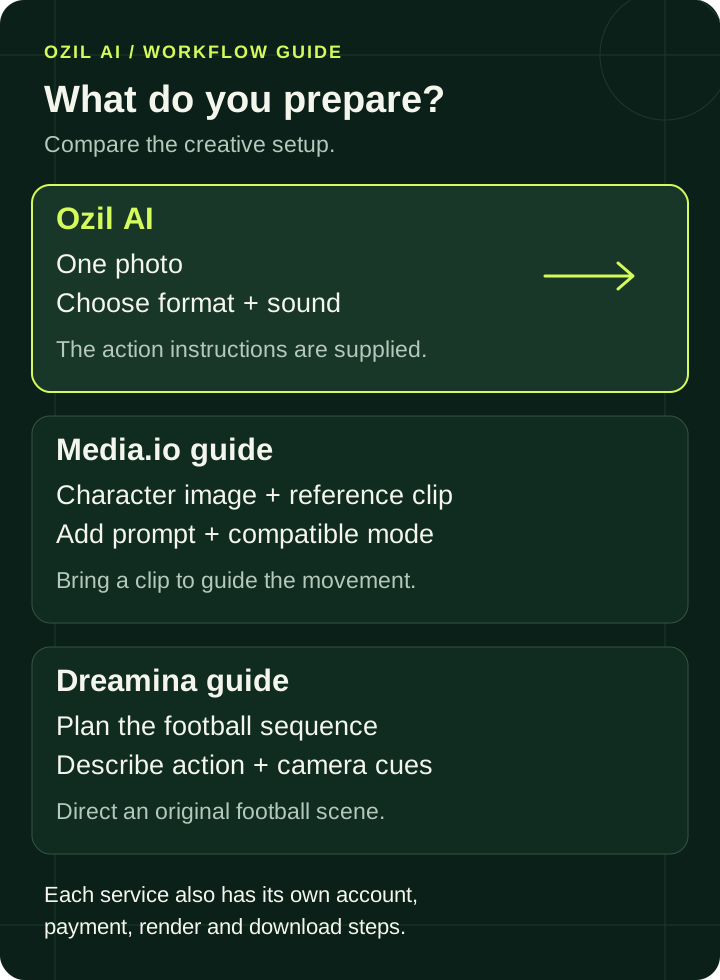
Preparation shown here follows the linked workflows. Each service also has its own account, payment, rendering and download steps.
More control can be useful. If you want to invent a new football sequence, writing the action is part of the appeal. If you just want to try the trend with your own photo, a prepared action removes that work.
Ozil AI vs Media.io, Dreamina and other preset tools
Several tools use similar names, but their pages do not all lead to the same kind of creation process.
| Tool | What you prepare | Prompt and setup | A useful fit for |
|---|---|---|---|
| Ozil AI | One photo | No prompt or model menu; choose format and sound | Starting with prepared football action |
| Media.io | Character image and permitted reference video | Its guide uses a prompt and a mode supporting both references | Directing action with a chosen reference clip |
| Dreamina | Your idea for an original football sequence | Describe the action, physical details and camera | Creating a new playmaker-style scene |
| GoEnhance | One person photo | Preset Ozil effect; no prompt required | Using a ready-made effect on that platform |
| SJinn | One character photo | Choose resolution; editing the prepared prompt is optional | Starting with a preset, with room to edit instructions |
| Oakgen | One person photo | Prepared action; choose quality in its tool | Using a trend template in a broader creative studio |
On a phone, swipe the table sideways to compare all four columns.
Media.io is worth considering when you already have a motion reference you want to use. Its tutorial asks you to supply that clip, select a compatible mode and specify the scorer. That gives you more responsibility for the setup than our prepared workflow.
Dreamina's related page focuses on directing an original football sequence: the pass, first touch, finish and camera cues. It suits someone who wants to develop a scene rather than simply start with an existing action direction.
GoEnhance, SJinn and Oakgen also offer shortcuts. We would not describe them as tools that force every beginner to write a prompt. Another dedicated option, aiozilgoal.com, advertises guest checkout without an account. If avoiding sign-in is your priority, check that route's current conditions; Ozil AI requires sign-in.
Our recommendation is specific: choose Ozil AI when you want a clear photo-first starting point with the action already supplied. Choose a more adjustable workflow when changing the action matters more than reducing setup.
Why Ozil AI is a straightforward place to start
The generator keeps the creative input focused on one recognizable person and the outfit they are wearing. There is no blank prompt editor asking you to choreograph a football match, and no model list to research before you begin.
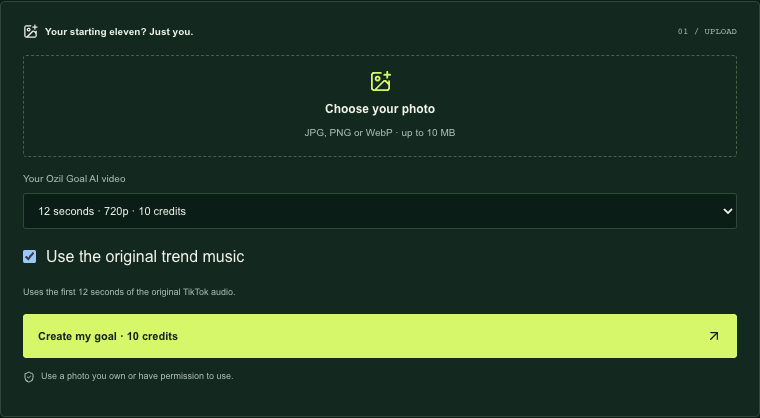
Actual generator interface captured on 17 October 2026. The credit cost is visible before you submit.
You can make the remaining choices on the same panel: pick the clip format and decide whether to use the original trend music option. This is the simplicity we recommend: less preparation before generation, with the choices that affect your submission still visible.
Start with your photo in a few steps
- Choose your photo. Use one person, a clear face and visible clothing. Upload an image you own or have permission to use.
- Choose the format and sound. Select the clip you want. The Use the original trend music option is selected by default; clearing it requests AI-generated audio instead.
- Sign in and check credits. If your balance is insufficient, choose a credit pack. Buying credits and submitting the video are separate actions.
- Generate, review and download. Follow the task already in progress, then play the finished clip before saving the MP4.
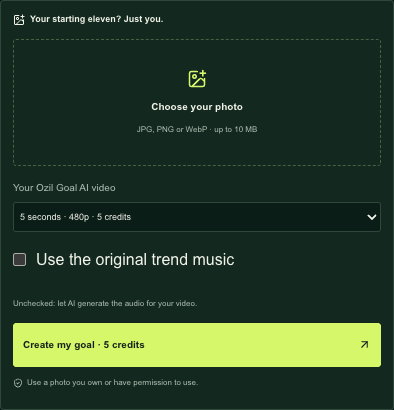
The same panel with different preferences. Switching these controls does not start generation.
For photo framing, checkout details and troubleshooting, use our step-by-step Ozil AI video tutorial.
Watch the action before you choose
An unexpected outfit is part of the fun. This second community example uses a long grey coat instead of a football shirt:
Community trend example: a grandmother in a grey coat. Source:
original TikTok post
.
A video poster can show the outfit. Play the video to judge movement.
When reviewing your own result, follow the ball through the whole clip, check that the main character stays recognizable and look at the final touch toward goal. A good opening frame cannot show you whether the finish works. Choosing an easy interface does not remove the need to review AI output.
Check the format and credits before generating
Ozil AI currently offers these formats, using the same settings shown in the generator:
| Clip length | Resolution | Credits per submission |
|---|---|---|
| 5 seconds | 480p | 5 |
| 12 seconds | 720p | 10 |
The shorter choice suits a compact move; the longer choice gives the buildup more time. The short format is a separate generation, not a free preview of a longer video. Neither format guarantees an exact reconstruction of an example.
Check the current credit packs before submitting. Compare the total purchase with the number of attempts you intend to make, since you may want another version after reviewing the first.
Quick questions before you start
Do I need an Ozil Goal AI prompt?
Not in Ozil AI. The action instructions are supplied. Prompt-based tools are an option if you want to write a different scene yourself.
Do I need CapCut or a reference video?
No. You provide the character photo. You can use a video editor later for captions or extra edits, but it is not required to create the basic clip here.
Is it free?
You can watch the examples for free. Generating your own video requires paid credits; the selected format shows how many.
Can I start on my phone?
Yes, the generator runs in a browser with a photo picker. After generation, download the file and check playback on your device before posting.
Will it reproduce the exact video I saw?
No exact match is promised. Your photo guides a new AI interpretation, and faces, motion, timing and details can vary. Watch examples first and review your own result before sharing it.
If you want the football action prepared and your photo to be the starting point, create your Ozil Goal AI video.